
WhatsApp Basics
Opt-In and Consent Management
Learn how to collect consent and manage opt-in status for your Contacts.
Reviewed by Mahmoud Ilyan · updated
What it is
Opt-in is the process where Contacts give you permission to send them Marketing messages on WhatsApp. It's a legal requirement in most countries.
DeelFlows tracks opt-in status for every Contact. A Contact is either Opted In (you can send them Marketing messages) or Not Opted In (you can only send Service or Utility messages).
WhatsApp requires businesses to get explicit consent before sending promotional content. You need proof that Contacts agreed to receive messages from you.
When to use it
- You're setting up DeelFlows and need to understand consent requirements
- You want to send a Marketing Broadcast but some Contacts aren't opted in
- A Contact wants to stop receiving messages and you need to opt them out
- You're importing Contacts and need to set their opt-in status correctly
- You're troubleshooting why a message wasn't delivered to certain Contacts
Step by step
1. Understanding opt-in status
Every Contact in DeelFlows has an opt-in status: Opted In or Not Opted In.
Opted In means the Contact explicitly agreed to receive Marketing messages from you on WhatsApp.
Not Opted In means they haven't given consent yet or they opted out. You can still send them Service and Utility messages, but not Marketing Broadcasts.
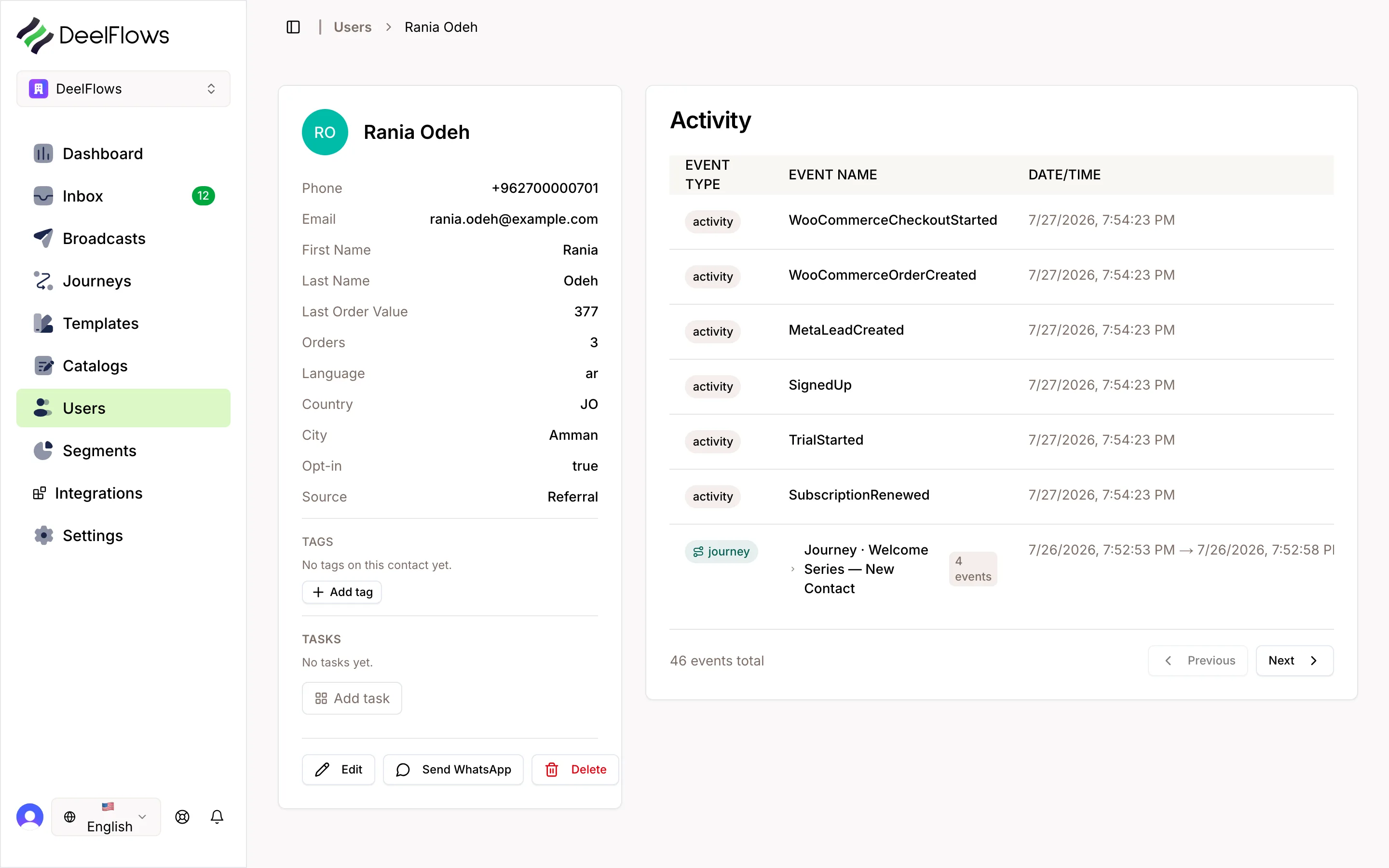
You can see a Contact's opt-in status in their profile and in the Contacts list.
2. How Contacts opt in
Contacts can opt in by replying with a keyword like START, YES, or SUBSCRIBE to one of your messages.
They can also opt in by checking a box on your website that says they agree to receive WhatsApp messages, then you import them as opted in.
DeelFlows automatically updates opt-in status when Contacts send opt-in keywords. You can customize these keywords in Settings → Opt-In.
You must keep proof of consent. Store screenshots or records of where and when Contacts opted in.
3. How Contacts opt out
Contacts can opt out by replying with STOP, UNSUBSCRIBE, or OPT OUT. DeelFlows will automatically mark them as Not Opted In.
You can also include an {unsubscribe_link} global shortcode in your Templates. When clicked, it opts the Contact out automatically.
Once opted out, DeelFlows will not include that Contact in any Marketing Broadcasts or Journeys.
Contacts can opt back in later by sending START or another opt-in keyword.
4. Setting up automated opt-in messages
Create a welcome Template that asks new Contacts to opt in. Include a call-to-action button that says Agree or Yes.
When they click the button, DeelFlows automatically marks them as Opted In and opens a session window.
You can also set up a Journey that triggers when someone first messages you. Send them an opt-in request in the first step.
Make the opt-in message clear. Explain what they're agreeing to and how often you'll message them.
5. Managing opt-in status manually
To manually change a Contact's opt-in status, open their profile and go to the Details tab.
Click the opt-in status dropdown and select Opted In or Not Opted In.
Only do this if you have clear proof of consent. Marking Contacts as opted in without permission violates WhatsApp's policies.
You can also bulk update opt-in status during CSV imports by including an opt_in column with values like yes or no.
6. Using opt-in Segments for Broadcasts
When creating a Broadcast, always filter by opt-in status. Choose a Segment that only includes Opted In Contacts.
DeelFlows will warn you if you try to send a Marketing Broadcast to Not Opted In Contacts. The message will fail.
To see how many Contacts are opted in, go to Contacts and filter by Opt-In Status: Opted In.
If your opted-in list is small, run an opt-in campaign to grow it. Send a Template asking Contacts to reply START if they want updates.
FAQ & gotchas
Can I send messages to Contacts who aren't opted in?
You can send Service and Utility messages (like order confirmations) to anyone. But you cannot send Marketing messages to Contacts who are Not Opted In. WhatsApp will reject those messages and may penalize your account.
What's the difference between opt-in and the session window?
Opt-in is about permission (did they agree to receive messages?). Session window is about timing (can I send free-form messages right now?). Both must be satisfied to send certain types of messages.
Do I need to ask for opt-in every time I message someone?
No. Once a Contact is Opted In, they stay opted in until they opt out or you manually change their status. You only need to collect consent once, but you must honor opt-out requests immediately.
What if a Contact says they didn't opt in but they're in my system as Opted In?
Immediately mark them as Not Opted In and stop sending them Marketing messages. Review how you collected their consent. If you can't prove they opted in, remove them from your list. Sending messages without consent can get your WhatsApp account banned.
Continue learning
Can't find what you're looking for?
Contact Support