
Integrations
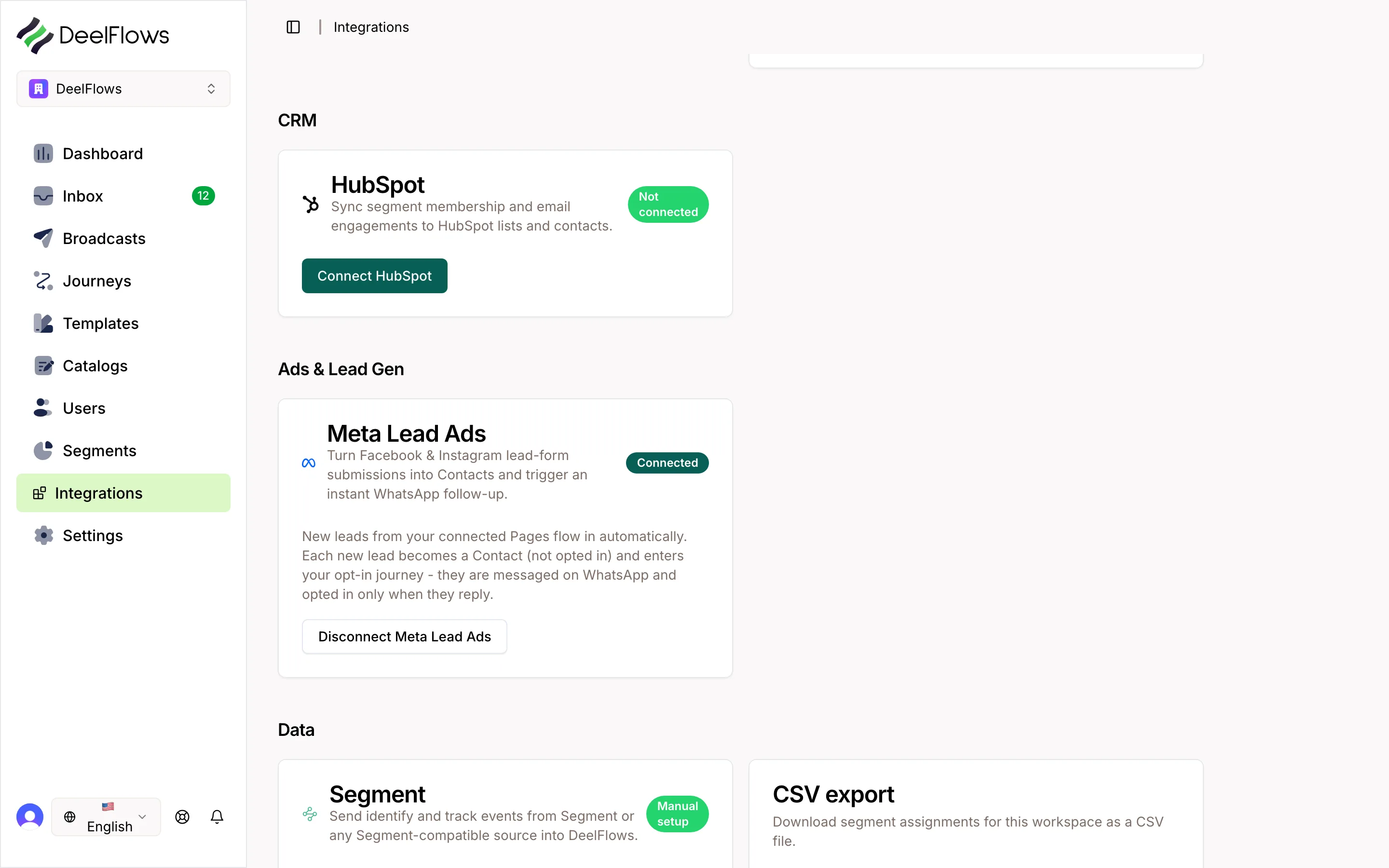
Meta Lead Ads Integration
Connect Facebook and Instagram Lead Ads to DeelFlows to automatically capture leads and start WhatsApp conversations.
Reviewed by Mahmoud Ilyan · updated
What it is
The Meta Lead Ads integration lets you capture leads from Facebook and Instagram ads directly into DeelFlows as new Contacts.
Leads are synced in real-time as they submit forms on your ads.
Automatically trigger Welcome Journeys or add leads to Segments for targeted follow-up.
When to use it
- When you're running Facebook or Instagram Lead Ads campaigns and want to follow up via WhatsApp.
- When you want to automate lead qualification and nurturing workflows.
- When you need to sync lead form responses into DeelFlows as user properties.
- When you want to measure conversion from ad lead to qualified Contact.
Step by step
1. Connect Your Meta Business Account
Navigate to Settings → Integrations in DeelFlows and select Meta Lead Ads.
Click Connect and authorize DeelFlows to access your Facebook Business account.
Grant permissions for reading lead ads forms and lead data.
Select the Facebook Pages and ad accounts you want to connect.
2. Whitelist the OAuth Redirect URI
IMPORTANT: Before connecting, you must whitelist the DeelFlows redirect URI in your Facebook App settings.
Go to Facebook Developers → Your App → Facebook Login → Settings.
Add https://app.deelflows.com/dashboard/oauth2/callback/metaLeadAds to Valid OAuth Redirect URIs.
If you're using staging, also add https://staging.deelflows.com/dashboard/oauth2/callback/metaLeadAds.
Save changes. Without this step, the OAuth connection will fail.
3. Select Lead Forms to Sync
After authorization, DeelFlows will list all active lead forms from your connected Pages.
Enable sync for the forms you want to capture leads from.
Map form fields to DeelFlows user properties: name, email, phone, custom questions.
Set up automatic Segment assignment or Journey triggers for new leads.
4. Configure Lead Routing
Choose whether new leads should automatically opt in to WhatsApp messaging (requires explicit consent in your lead form).
Assign leads to specific Operators for manual follow-up, or route them to automated Journeys.
Set up lead scoring rules based on form responses to prioritize high-value leads.
5. Test the Integration
Submit a test lead through one of your connected lead forms.
Verify the Contact appears in DeelFlows with correct user properties.
Check that any configured Journey or Segment assignment triggers as expected.
FAQ & gotchas
Can I sync leads from Instagram Lead Ads?
Yes. Instagram Lead Ads are synced the same way as Facebook Lead Ads. Ensure your Instagram account is connected to your Facebook Business account.
What happens if a lead submits the form multiple times?
DeelFlows will update the existing Contact record instead of creating duplicates. The most recent form submission takes precedence.
Can I customize which form fields map to user properties?
Yes. In the integration settings, you can map any lead form field to a custom user property in DeelFlows.
How quickly are leads synced?
Leads are synced in near real-time, typically within 30 seconds of form submission.
What if I disconnect the integration?
Disconnecting stops future lead syncing. Existing Contacts and their data remain in DeelFlows.
Continue learning
Related articles
Salla Integration
Install DeelFlows from the Salla App Store and connect your store in one click to confirm COD orders and recover pending checkouts over WhatsApp.
→WooCommerce Integration
Connect your WooCommerce store to DeelFlows to sync products, track abandoned carts, and automate customer engagement through WhatsApp.
→Zapier and Make Integration
Connect DeelFlows to thousands of apps using Zapier or Make to automate workflows and data sync.
→Public API and Write Keys
Generate and manage API keys to connect external apps, ingest data, and automate workflows with DeelFlows.
→Can't find what you're looking for?
Contact Support