
Product
Catalog and Product Pages
Create a catalog of products or services with public pages. Sync from your store or add products manually. Share product links in messages.
Reviewed by Mahmoud Ilyan · updated
What it is
Catalogs are collections of products or services you offer.
Each product has a public page with images, description, price, and a buy button.
You can sync products from WooCommerce or Shopify automatically.
Or you can add products manually, one by one.
Product pages can be shared in WhatsApp messages as links.
When to use it
- When you want to showcase products in WhatsApp messages
- When you need public pages for your inventory
- When you want to automate product updates from your store
- When you need to share product catalogs with Contacts
- When you want to track which products Contacts view
Step by step
1. Create a Catalog
Go to Products → Catalogs.
Click Create Catalog.
Give your Catalog a name, like 'Summer Collection' or 'Services'.
Choose Synced (from store) or Native (manual).
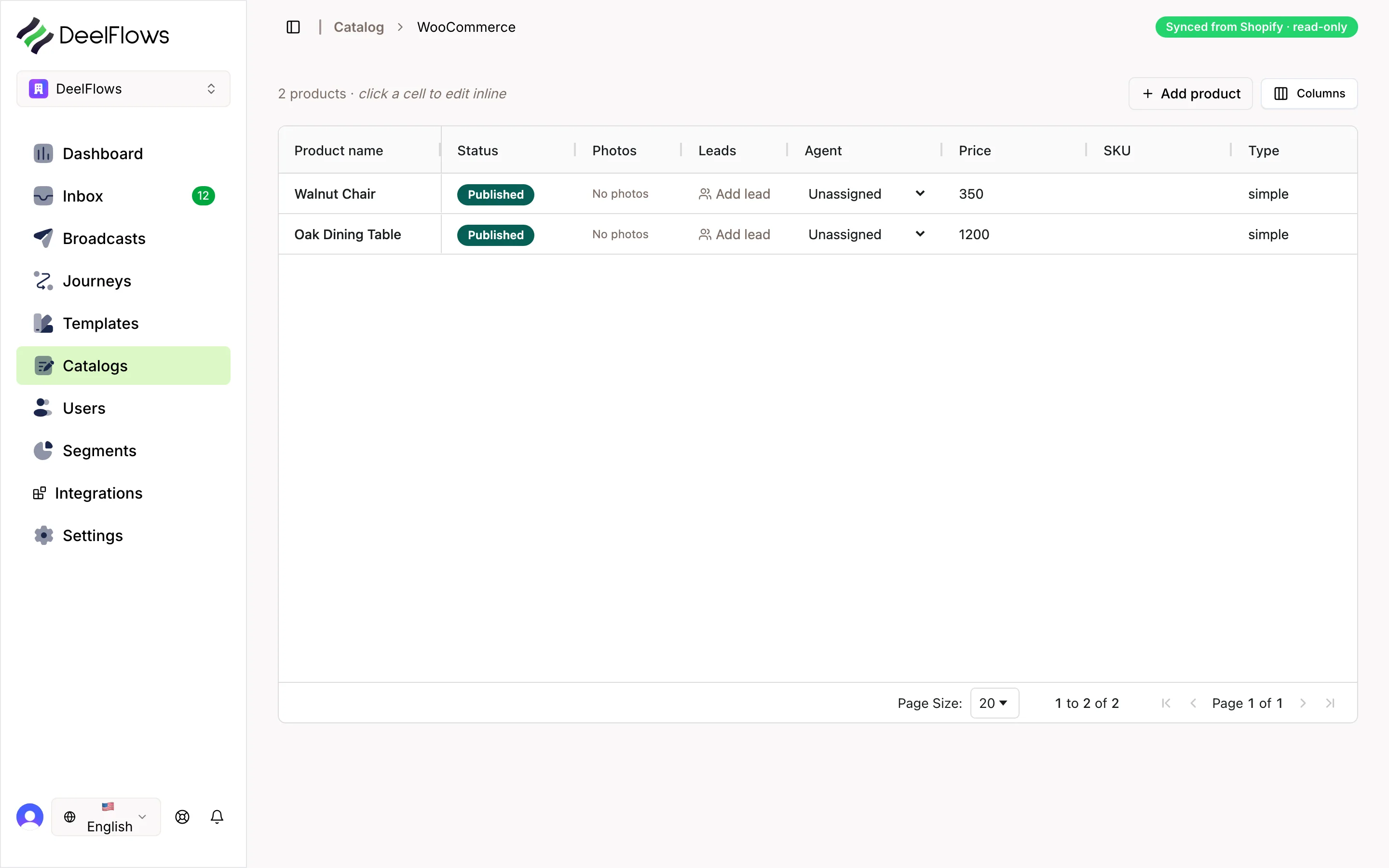
2. Sync products from your store
If you chose Synced, connect your WooCommerce or Shopify store at Settings → Integrations.
Select which products to sync: all, by category, or by tag.
Click Start Sync.
Products will update automatically when you change them in your store.
3. Add products manually
If you chose Native, click Add Product inside your Catalog.
Enter product name, description, and price.
Upload product images.
Click Save.
4. Generate public pages
DeelFlows automatically creates a public page for each product.
Click on any product to see its page URL.
The page includes images, details, and a WhatsApp button to start a Conversation.
5. Share products in messages
When replying in the Inbox, click the product button.
Select a product from your Catalog.
DeelFlows inserts the product page link into your message.
Contacts can click the link to view details and start a purchase Conversation.
FAQ & gotchas
What is the difference between synced and native Catalogs?
Synced Catalogs pull products from your WooCommerce or Shopify store and update automatically. Native Catalogs are managed manually in DeelFlows and do not connect to any store.
Can I customize product page design?
Product pages use your Workspace branding (logo, colors) from Settings → Branding. You cannot customize individual page layouts.
Do product pages work without a store?
Yes. You can create native Catalogs and products even if you do not have a WooCommerce or Shopify store. The pages will still have a WhatsApp button for Contacts to message you.
How do I track product views?
Go to Products → Analytics to see which products were viewed, clicked, and discussed in Conversations. You can also see this data in each Contact's profile.
Continue learning
Related articles
Inbox - Manage Conversations
View and reply to WhatsApp messages from Contacts. Track lead scores, assign to Operators, and move Deals through your Pipeline.
→Contacts and User Properties
Store information about people who message your business. Add custom user properties to track details that matter to you.
→Segments - Group Your Contacts
Create filtered groups of Contacts based on user properties, behavior, or Opt-in status. Use Segments to target specific audiences.
→Broadcasts - Send Bulk Messages
Send a one-time WhatsApp message to a Segment of Contacts. Use the 4-step wizard to target, design, schedule, and review your campaign.
→Can't find what you're looking for?
Contact Support