
Product
Contacts and User Properties
Store information about people who message your business. Add custom user properties to track details that matter to you.
Reviewed by Mahmoud Ilyan · updated
What it is
Contacts are people who have interacted with your WhatsApp business.
Each Contact has a profile with their phone number, name, and custom data.
User properties are custom fields you define to store extra information.
The Opt-in status shows whether you can send marketing messages to a Contact.
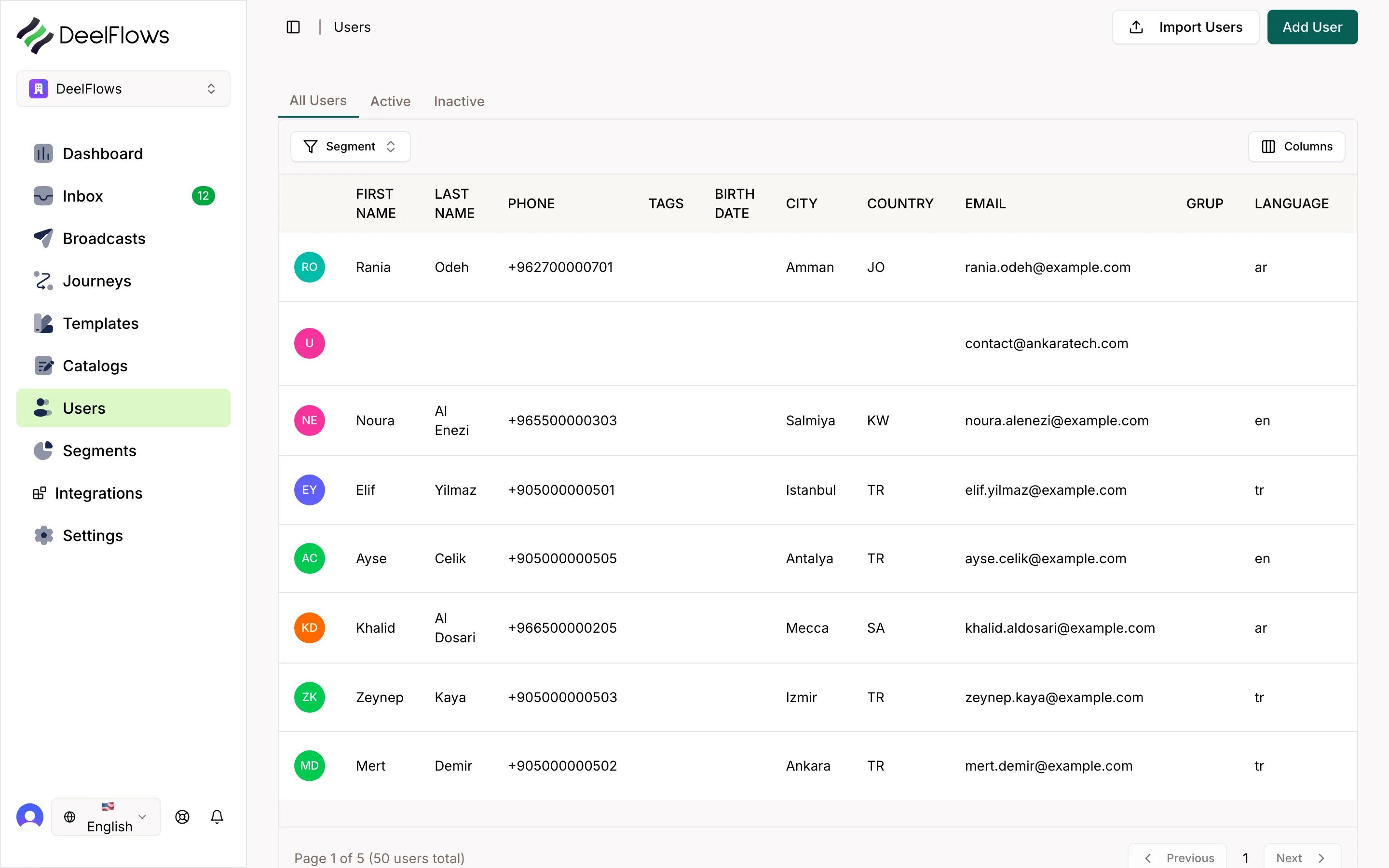
You can view all Contacts at the /users page in your Workspace.
When to use it
- When you need to track customer information beyond name and phone
- When you want to personalize messages with Contact data
- When you need to Segment Contacts by specific criteria
- When you want to see which Contacts have opted in to marketing
- When you need to import existing customer lists
Step by step
1. View your Contacts
Navigate to the Contacts page from the main menu.
You will see a table with all your Contacts.
Click any Contact to view their full profile.
2. Create custom user properties
Go to Settings → Custom Fields.
Click Add Field.
Enter a name for your property, like 'Birthday' or 'Purchase History'.
Choose a data type: text, number, date, or boolean.
Click Save.
3. Add data to a Contact
Open a Contact profile.
Find the user properties section.
Click Edit or the pencil icon.
Fill in values for your custom properties.
Click Save.
4. Check Opt-in status
Open a Contact profile.
Look for the Opt-in badge at the top.
Green means they have opted in to marketing messages.
Gray means they have not opted in yet.
You can only send Broadcasts to Contacts who have opted in.
5. Import Contacts
Go to the Contacts page.
Click Import.
Upload a CSV file with phone numbers and property columns.
Map your CSV columns to DeelFlows user properties.
Click Start Import.
FAQ & gotchas
What is Opt-in?
Opt-in means a Contact has given permission to receive marketing messages from you. DeelFlows automatically manages Opt-in when Contacts interact with your Journeys or reply to specific Templates.
How do I get Contacts to Opt-in?
Use a Journey with an Opt-in action, or send a Template that includes an Opt-in button. When they click the button or reply, they are marked as opted in.
Can I delete user properties?
Yes. Go to Settings → Custom Fields, find the property you want to remove, and click Delete. This will not delete your Contacts, only the property field.
What happens if I import duplicate phone numbers?
DeelFlows will update the existing Contact with new data instead of creating a duplicate. Phone numbers are unique identifiers.
Continue learning
Related articles
Broadcasts - Send Bulk Messages
Send a one-time WhatsApp message to a Segment of Contacts. Use the 4-step wizard to target, design, schedule, and review your campaign.
→Journeys — automated WhatsApp flows
Build node-based automations: Entry, Delay, Wait For, Split, WhatsApp, and Exit — including Abandoned Cart and how Events variables bind on the WhatsApp node.
→Catalog and Product Pages
Create a catalog of products or services with public pages. Sync from your store or add products manually. Share product links in messages.
→Pipeline and Deals
Manage sales opportunities with a visual kanban board. Create Deals from Conversations, move them through custom stages, and track revenue.
→Can't find what you're looking for?
Contact Support